RAVAM Command Center
RAVAM Command Center is a cloud-based flight control platform enabling operators to manage drone fleets and Nests, plan and execute autonomous missions in clusters, monitor up to 32 live video channels in real time, and access complete flight data at their convenience.
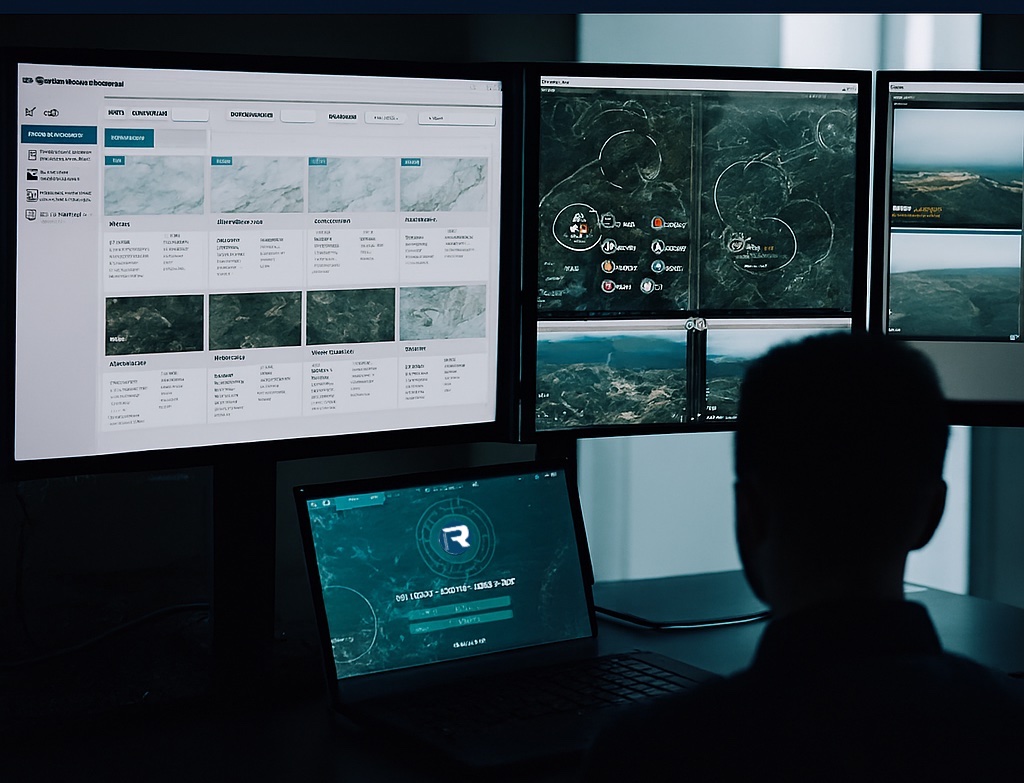
Real-Time Mission Monitoring & Fleet Control
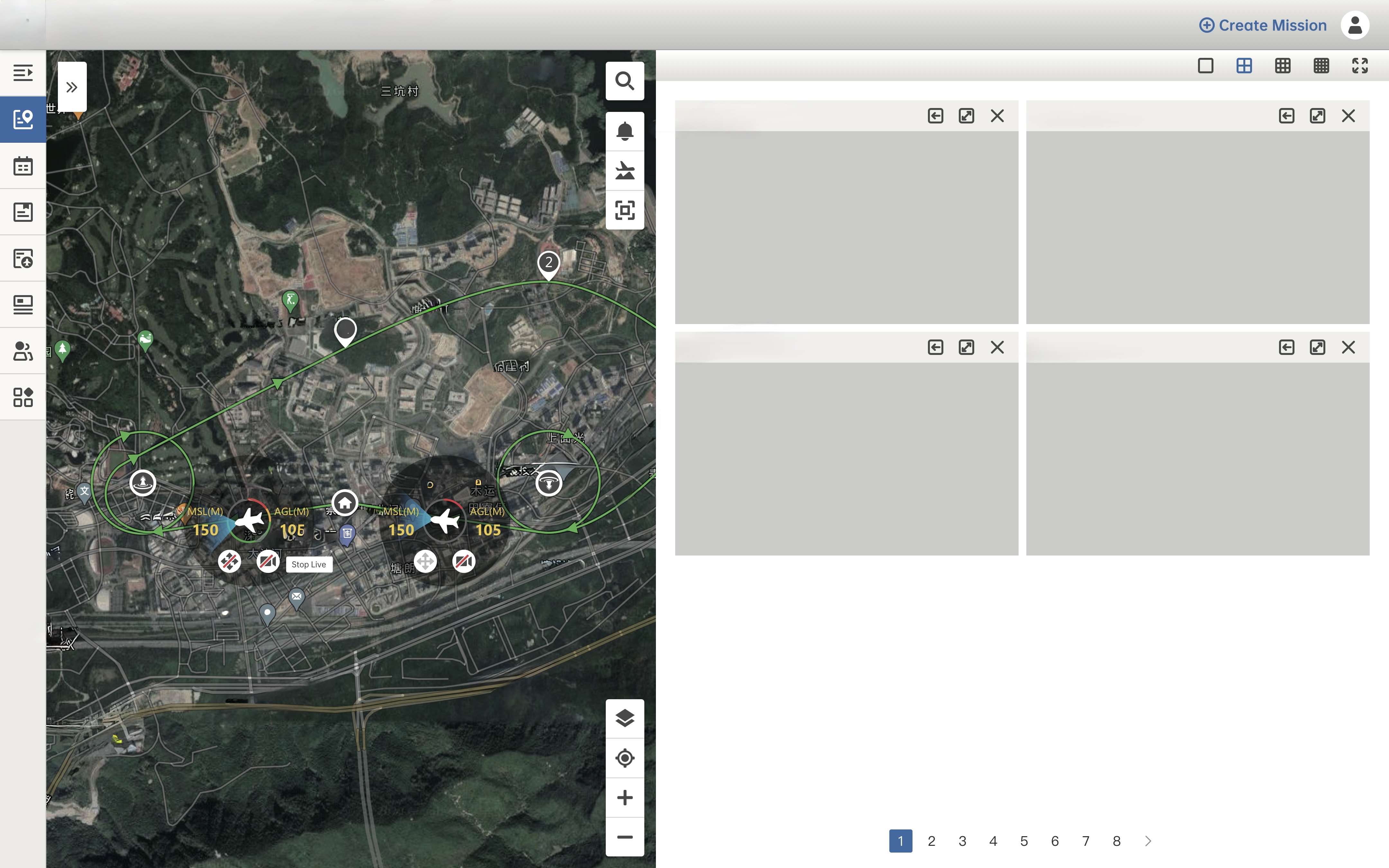
RAVAM Command Center provides a centralized map-based interface displaying pilot locations, device positions, and active mission status. Operators gain full situational awareness through satellite, standard, and hybrid map views with real-time aircraft tracking.
Key Capabilities
- Real-time device tracking on interactive map
- Active mission route and trailing track display
- Place search with instant map focus
- Satellite, standard, and hybrid map types
- Zoom, focus, and device selection tools
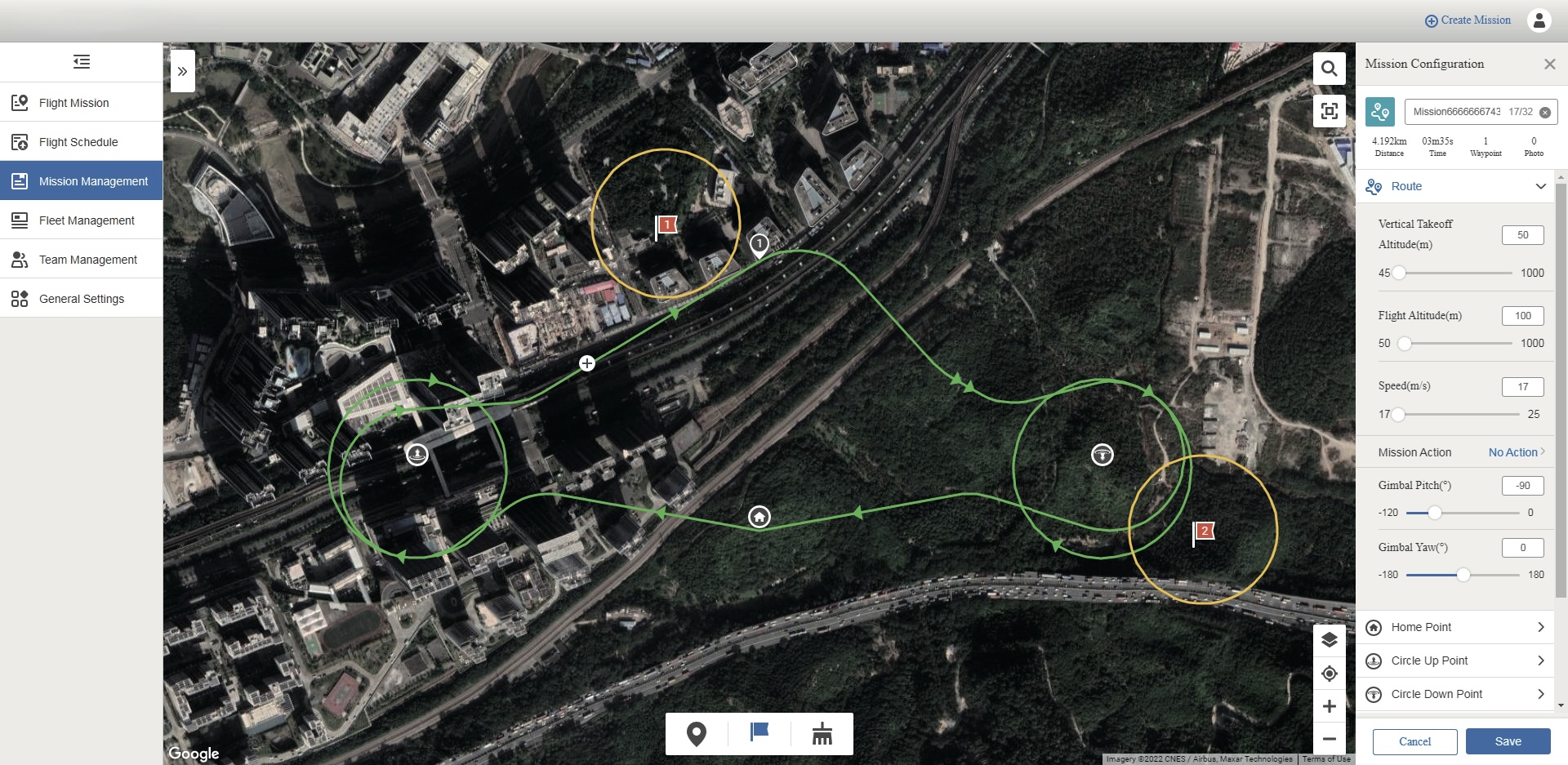
Plan, Configure, and Deploy Autonomous Missions
Create waypoint or manual missions with full parameter control. Configure flight altitude, speed, gimbal angles, camera actions, and observation points for both multi-rotor and fixed-wing aircraft. Issue missions to Nests or pilots with immediate or scheduled execution.
Mission Configuration
- Waypoint & manual mission types
- Multi-rotor: 10–800m altitude, 4–36 km/h speed
- Fixed-wing: 50–1000m altitude, 17–25 m/s speed
- Observation point association with gimbal tracking
- Calendar & list scheduling with validity periods
32-Channel Live Video with Full Remote Flight Control
All connected aircraft stream live video automatically upon power-on. Operators can apply for remote control rights and fly aircraft directly from the browser using keyboard shortcuts, with full gimbal pitch control and camera operations.
Remote Control Features
- Up to 32 simultaneous live video channels
- 1, 4, 9, or 16-grid viewing layouts
- WASD + arrow keys flight control
- Mouse-based gimbal pitch adjustment
- Quick mission creation during remote control
Six Integrated Modules for Complete Flight Operations
RAVAM Command Center provides a unified interface with six core modules designed for enterprise-scale autonomous drone operations.
Flight Mission
Real-time map view with pilot, aircraft, and Nest positions. Track active missions, trailing tracks, and device status with satellite/hybrid map options.
Flight Schedule
Calendar and list views for all scheduled missions. Track execution teams, pilots, start times, mileage, and duration across the organization.
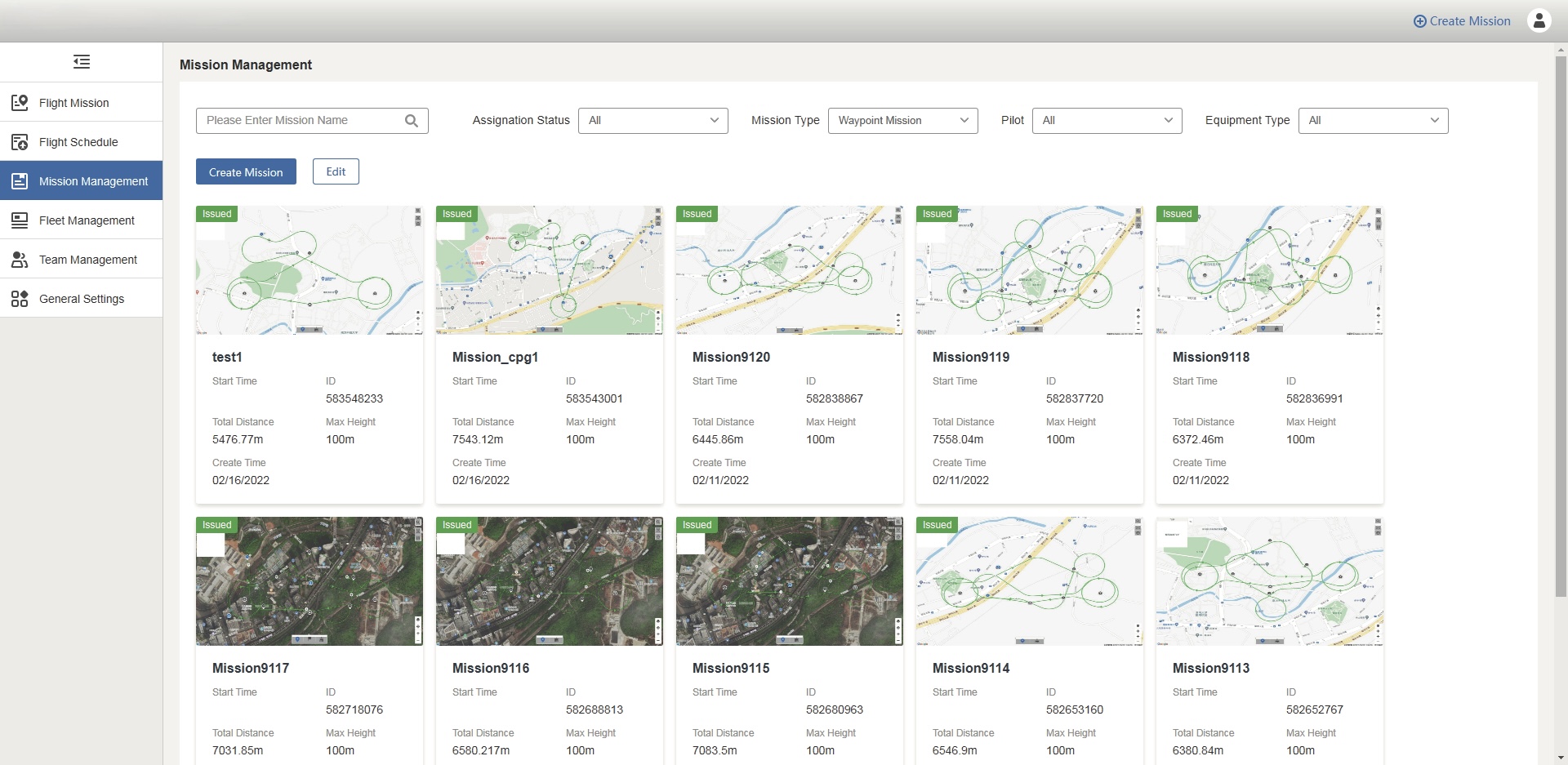
Mission Management
Create, configure, and issue waypoint or manual missions. Support for multi-rotor and fixed-wing aircraft with observation points and camera actions.
Fleet Management
Register aircraft and Nests, view flight times, serial numbers, and device models. Manage Nest passwords and monitor equipment health.
Team Management
Hierarchical access with Organization, Team, and Operator accounts. Configure roles, permissions, and team assignments for secure operations.
General Settings
Configure remote control gear sensitivity (1–10), language selection, map provider (Google Maps / AMap), and local media caching options.
Autonomous Nest Operations with One-Click Takeoff
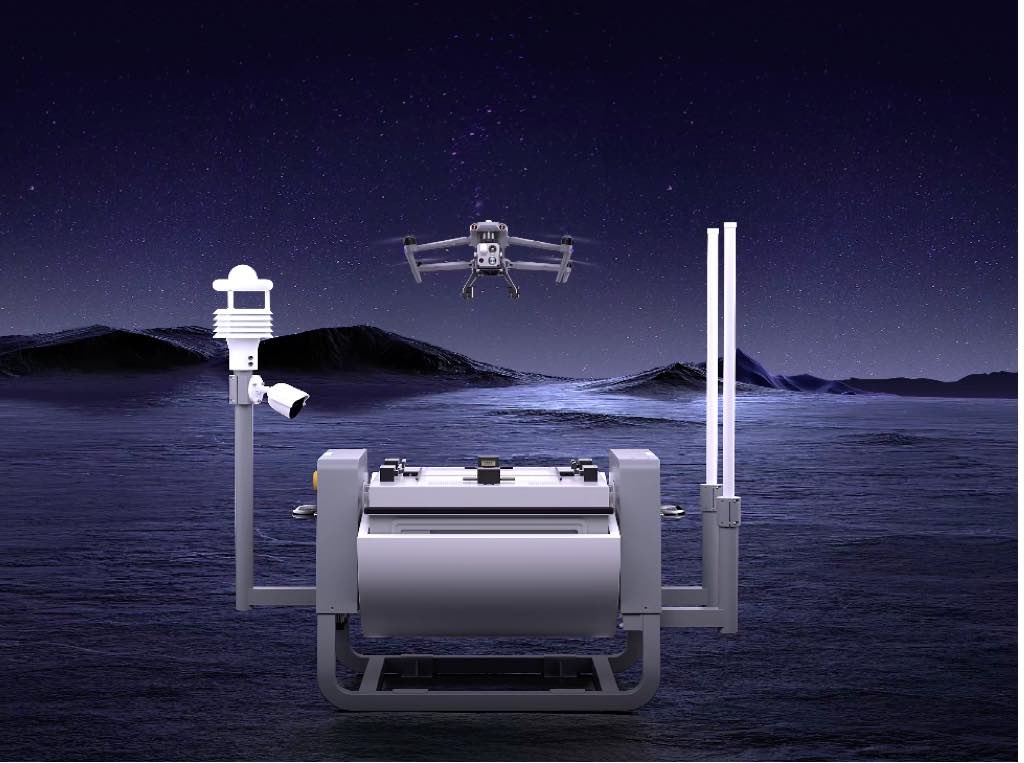
Manage Drone Nest docking stations with automated charging monitoring, 6-digit password authentication, and 24/7 autonomous patrol scheduling. When the Nest is powered on and registered, it appears on the map ready for one-click deployment.
Supported Equipment
- Mini Drone series multi-rotor aircraft
- vTOL Drone series (multi-rotor & fixed-wing)
- Drone Nest autonomous docking stations
- Automatic model detection via serial number
- Battery & charging status monitoring
Role-Based Permission Hierarchy
Three-tier account structure ensures the right people have the right access across your organization.
Organization Account
- Create, edit, delete team accounts
- Add, edit, delete all members
- Reset operator & pilot passwords
- Edit team leader & operator roles
- View all devices organization-wide
Team Account
- Add, edit, delete team members
- Reset operator & pilot passwords
- View devices assigned to team
- Manage team-level settings
Operator Account
- Create & issue flight missions
- View devices & members
- Flight control authority
- Live video streaming access
- View & edit flight logs
Preparation & Compatible Devices
Browser-based platform accessible from desktop and mobile devices with minimal requirements.
Desktop
PC or Mac with Chrome 55 or above version. Stable network connection required for live video and remote control.
Mobile
Smartphone or tablet with Android 8.0 or higher. Built-in 4G card recommended for field operations.
Supported Devices
Mini Drone series, vTOL Drone series (multi-rotor & fixed-wing), and Drone Nest autonomous docking stations.
Common Questions
Take Command of Your Autonomous Fleet
Cloud-based flight control for enterprise drone operations. Manage, monitor, and control from anywhere.